Monday, 13 February 2012

eRaUI meeting - 6th Feb 2012

Today all members of the eRaUI team met up to discuss progress, with a particular emphasis on work package 3 and work package 4 deliverables. In this meeting we concentrated primarily on the importance of usability within eRaUI. We have decided that enhancing usability within eRaUI is our top priority, and we intend to approach this by making use of the fresh perspectives gleaned from the recent JISC meeting in Birmingham. Yanguo and Sahithi (eRaUI project members) are both experts in usability and are able to apply their expertise to ensure that eRaUI encapsulates the essential principles required to facilitate usability.

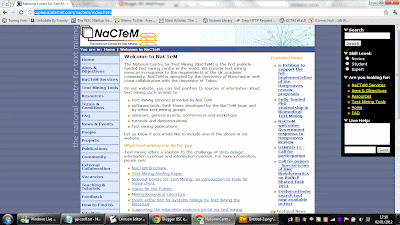
One of the key approaches to enhancing usability will be via testing, which we intend to carry out as part of our work package 4 deliverables. We require a scanrio for testing, and will need to consider some different use cases for which we can test eRaUI effectively. In accordance with Sahithi's suggestion, we intend to create an experimental and control task, the latter for instance being conducted on the the NaCTeM website while the former is conducted using the eRaUI widget deployed upon the NaCTeM widget. By measuring the times taken to achieve a set task upon both versions of NaCTeM, we are able to measure benchmarks for usability and verify that our goals are being achieved.

We are also considering the idea of adding some new features to the widget interface of eRaUI which are specifically intended to enhance usability and acceessibility. For instance, this could take the form of a feature to address accessibility for people who are visually impaired. We are also keen to enhance existing features in such a way as to ensure that usability is maximized.

Monday, 23 January 2012

WP2 Meeting - 16th January 2012

Eamonn and Farhi met on 16th January 2012 to discuss WP2 progress within eRaUI. We can now see that we have achieved most of the goals which were enumerated in December. These are:

1) Set up of the web server - this has now been arranged although the migration is yet to take place.

2) Generation of heatmaps on the server side - this has now been achieved with the help of ACA systems software. Server side heatmap generation is better because it is more consistent across browsers, and far faster and more accurate than client-side rendering.

3) Thumbnail previews - these have been implemented also - with the help of ACA software. We have furthermore introduced interactive window panes.

Points 4 and 5 have also been achieved by means of introducing interactive window panes and previews.

We furthermore require and adminstrator-based synonym ontology, which will assist in the linking of Window Panes.

The current priority is to produce an introductory commented video of eRaUI in action, to demonstrate at the forthcoming JISC conference in Birmingham.

Monday, 2 January 2012

Work Package 3 - Scenarios for use of the eRaUI widget with Screenshots

As part of our work package 3 planning and deliverables we have draughted some scenarios which indicate ways in which certain user groups would interact with a website upon which eRaUI is embedded in certain ways. These scenarios can be seen here:

http://eraui.blogspot.com/2012/01/eraui-user-scenarios.html


Work Package 4 Testing - Analysis

On 28th November we were able to use the help of 4 MSc computing students in order to help us with testing the current eRaUI prototype and gaining an insight into the efficacy of the navigational mechanisms and features which have thus far been implemented. While the testing generated quite a large volume of data - here are some of the key insights which have been gleaned from analysing this data:

  • Testers were 22.5% more likely to complete tasks within the specified 3min time frame when using the widget as opposed to using the version of the website without the widget. This would suggest that eRaUI is an effective aid in helping users to complete the tasks set out.

  • Some testers found that there were problems with certain features, particularly the free text search box and the live chat box.

  • Testers unanimously found the suggestion links to be a very helpful feature in terms of guiding them to the content or tools required to complete the tasks set out.

Work Package 2 Meeting - Wed 14th Dec 2011

On Wednesday 14th December 2011 Eamonn and Farhi met to discuss work package 2 deliverables, progress and targets. We discussed the following points:

  • 1 - Assimilation of current eRaUI systems with the university server. This has been partially completed, however problems remain due to the fact that the server has to be able to run certain custom softwares and functions which are not available / practicable on a server which is also used as a shared PHP hosting environment. We may need to consider utilising a dedicated or virtual Windows machine in order to facilitate the transfer of eRaUI to the university's equipment.

  • 2- Utilisation of ACA software. In order to generate heatmaps on the server side as jpg images (rather than the previous client-side rendering via javascript) it has been agreed that we shall have to purchase a copy of ACA Web ActiveX. Generating heatmaps as complete images on the server offers several advantages over client side generation.
  • 3- Implementation of Window Panes for presenting users with information. This has been partially implemented - previews of links are now generated and relayed to the user within boxes, making it simple for them to determine the nature of content before they click through to it.
  • 4- Further development of Window Panes - we would like to develop Window Panes further in such a way that users are presented with information related to search terms entered (matched via synonym ontology) and the related links are presented in a series of window panes which are then navigable in a way which is analogous to the mechanism of a typical windows-based operating system (e.g. panes can be closed, moved and resized).
  • 5- We also agreed that the search box needs to allow for the entry of free search text.

eRaUI User Scenarios

In designing, testing and developing eRaUI it is essential to consider certain use-case scenarios for interaction with eRaUI. There are two broad categories of scenario; that of website-visitor interaction and that of website-administrator interaction. The following screenshots encapsulate certain aspects of possible use-case scenarios for eRaUI.

First scenario - a user requires information from the NaCTeM website upon which we have embedded the eRaUI widget. The first screen presented to the user will be similar to the one below:


In this scenario, there is initially very little information available to eRaUI allowing the widget to configure itself to this particular user. However as the user continues to interact with the NaCTeM website, it is able to adapt certain aspects of the website to fit the perceived requirements of the user. For example:


In this screenshot, we can see that the user has been identified as a novice user, and certain menu options have been intelligently coloured in yellow so as to make them more visible. This reflects the fact that these options are more likely to be relevant to a novice user. Links which are unlikely to be relevant have been greyed out, and other aspects of the eRaUI widget have adapted to this perception of user type. In the screenshot below, we can see that the user has interacted with the search facility:


Auto-suggestion is used to present the user with links that are likely to be relevant given their perceived user-category. Furthermore, if the user hovers over a particular link on the eRaUI widget, then they are presented with a miniature preview of the content which they can view before navigating to the link:

The user can also interact with a live administrator using the 'live help' box. An example of this scenario is shown below:


There may be a scenario where a user is incorrectly identified as beloning to a particular user-category. In this case, the user can change their user category - for instance to 'Expert'. An example of such a change is indicated in the screenshot below:


The above scenarios indicate the interaction for a use-case where a user visits the NaCTeM website and interacts with the eRaUI widget and the interface which has been adapted by the widget. Another scenarios is that of a website owner who wishes to deploy eRaUI on his/her own website for the purposes of enabling users to find content more easily, or to facilitate the gatering of analytics in the form of heatmaps and recordings. An example of an administrator-interface recordings page is show below:


The user may also wish to view heatmaps indicating mouse interaction with the website upon which eRaUI is embedded. An example of such a scenario is shown in the heatmap below:


There are other possible use-cases which could arise for eRaUI, however those mentioned above give a broad idea of the possible ways in which users can interact with the software.


Friday, 2 December 2011

WP 2 Meeting - December 2nd 2011

On the 2nd December 2011 Farhi and Eamonn met to discuss progress within Work Package 2 and to discuss targets which have been achieved as well as set milestones for the upcoming weeks.

First of all, here are WP2 Work package deliverables which have been achieved already:

  1. Implementation of the eRaUI widget (Portable Content Search Widget) in such a way that it is portable and deployable upon any web application or interface. The widget enables content search which intelligently adapts to the content of the interface on which it is deployed.
  2. Implementation of click / mouse movement heat maps which provide rich analytics based upon users' interaction with the interface upon which eRaUI is deployed.
  3. Implementation of user Ontology, a catalogue of keywords and strings which are matched to weightings that indicate their relevance to the various user categories defined for the interface. The nearest neighbour algorithm is used in conjunction with this to determine the categories of new users.
  4. Text Mining which filters user selection from the e-Research tool services has been implemented at the point of data collection, which occurs in real-time.
  5. Implementation of the Machine Learning-Nearest Neighbour- algorithms within eRaUI - so as to match users' patterns of behaviour to categories as defined in the site category meta-dictionary.

The following WP2 deliverables have yet to be achieved; they have been enumerated below along with their respective deadlines:


  1. Breadth Search - featuring the use of window panes so as to allow users to preview other relevant e-Research tool services related to those he / she searched for. We intend to implement this before the middle of January 2012.
  2. Workflow Capabilities - We intend to implement a means by which we can guide users between content using workflow-based logic. We aim to have this completed by the middle of January 2012.

We also discussed the possibility of implementing a separate meta-explorer interface which would be separate from the eRaUI widget and based upon the data collected within the analytics and text-mining components of the software.

WP1 Meeting 2nd December 2011

On the 2nd December 2011 Eamonn and Farhi met to discuss WP1 deliverables and progress:

  • We discussed moving eRaUI and all associated systems to the university server. We have allocated up to two weeks to complete this fully and ensure that everything is working properly.
  • Christmas meeting - we decided that we should try to arrange a meeting before the end of the term in order to review progress. This would take place somewhere outside of the university.
  • We are also proud to unveil the new official eRaUI logo, which sports the colours of London Metropolitan University in addition to aspects of the university logo. Here it is:

Tuesday, 29 November 2011

Testing and Evaluation of initial eRaUI Prototype - WP4

On Monday the 28th November 2011 we undertook the first formal testing of an eRaUI protoype using MSc students at the London Metropolitan University Faculty of Computing. This was a very small initial test and involved 4 students, none of whom had any prior experience of eRaUI or the concepts related to this project.

The testing process consisted of assigning a set of 8 questions to each of the 4 participants. The participants answered a subset of these questions using a proxy version of the NaCTeM website on which the eRaUI widget was embeded, and another subset consisting of a proxy of the website without the widget. eRaUI recording and analysis tools were deployed on both proxy websites. The questions were divided up so that each participant answered 4 questions using the website with the widget and 4 questions on the version without the widget. Users were given a maximum of 2 minutes to complete each question, and the results and completeness of users' answers were recorded so as to allow comparison of the efficacy of embeding the eRaUI widget on the NaCTeM interface as compared to using the interface without the widget.

Upon completion of the 8 questions, participants were asked to complete a quick questionnaire asking questions as to which version of the website facilitated a better perception of user experience. The participants were then invited to give feedback by means of a brief informal spoken interview.

This intitial testing process has yielded some very useful feedback and data which can be analysised so as to best know how to go forward with the research and development of the eRaUI widget tool. Results of this analysis, which will include the recordings produced by the eRaUI analysis tools, are pending and will be disseminated in a forthcoming blog post.

Thursday, 24 November 2011

WP2 Meeting - 24th Nov 2011

On the 24th November 2011 Eamonn and Farhi met to discuss work package 2 deliverables and progress. We discussed the implementation of Nearest Neighbour algorithms within eRaUI to match content to particular users based on automatic user categorisations. We also showed how text mining has been implemented in such a way that we are able to extract information from user sessions and structure the information so as to inform automatic categorisation of users. The process of extracting and structuring information is undertaken in realtime as users navigate the interface on which eRaUI has been deployed.

We also discussed testing plans for the prototype eRaUI widget. We shall be testing the widget next week.

Thursday, 17 November 2011

WP2 Meeting 16th November

Farhi and Eamonn met up on the 16th November to discuss Work Package 2 deliverables and progress. First of all we discussed the proposed eRaUI logo which is currently under development. We have decided to adopt an arrow design using some elements from the London Metropolitan University logo, including the colours. This logo will be unveiled shortly once final considerations have been addressed.

The next point of discussion centred around the design and implementation of Nearest Neighbour algorithms within eRaUI. We discussed a current model which is now operational, and also considered a new model which will involve attributing a weighting to each link within a web application. These weights will then be summed wherever there is a 1 to 1 match between a user's click history and each previous existing use case. This will form the kernel of a sophisticated algorithm which should enable us to classify users most effectively.

Thursday, 10 November 2011

Work Packages 1 and 2 - Meeting

Today (10th November) Farhi and Eamonn met to discuss Work Package 1 and 2 deliverables and progress. Primarily our conversation centered on the following two areas:
  • Configuration of the university server to host the NaCTeM codebase. Difficulties have been encountered in enabling PHP short tags so as to allow the current codebase to execute correctly. This problem has now been resolved and the code is running according to expectations.
  • Implementation of nearest neighbour algorithms within eRaUI in order to classify users into the correct level. Work has been done on this already, and we decided that we should store in the database a historical record of users matched to url clicks and categories. This can be used to generate a case-base which will then be used to categorise users as novice, student, expert etc.
We have also proposed a test plan for the eRaUI widget (see previous blog post) which forms a component of our WP4 deliverables.

eRaUI Testing and Prototype Evaluation Plan - Work Package 4

As part of our Work Package 4 deliverables we require a means of testing and evaluating eRaUI to try to quantify the effectiveness of the prototype which has been developed so far. Although we cannot yet gain interactive user feedback in regard to the finished software, it would be useful to test the efficacy of the current model in regard to enhancing user experience and productivity on the NaCTeM website. To this end, we propose to do the following:

1) Assemble a test group of subjects, perhaps only 4 persons for the initial test. These could be staff, students or Ph.D. students, although it would be preferable not to involve persons who have direct experience with eRaUI already.

2) Decide upon a set of three tasks which could be performed on the NaCTeM website. These would vary in complexity and could for instance involve:
  • Sending some feedback via the feedback form.
  • Looking for a paper using the text mining tools on the NaCTeM website.
  • Downloading U-Compare and learning how to use it to complete a simple text-mining task.
3) Divide the test group into two halves. One half would be asked to complete the three tasks on a NaCTeM clone website without the widget enabled, and the other would be asked to complete the task on a version of the site with the widget.

4) Using the recordings produced from the test user interaction along with times taken and verbal feedback, we could assess to what extend the eRaUI widget improves the experience of interaction with the NaCTeM website, and to what extent it improves the times taken and the correctness of results obtained using the site alone as opposed to using the widget-enabled version.

This simple method of testing should hopefully enable us to glean some insights into the initial reactions to eRaUI and will form a vital part of our Work Package 4 deliverables. Later as the software develops we can expand this testing methodology so as to incorporate a larger test group and a wider range of tasks.

Thursday, 3 November 2011

Meeting 3rd November - WP1 and WP2

Farhi and Eamonn met up today (3rd November 2011) to discuss WP1 and WP2 deliverables and progress. We discussed the various softwares which might be required for extending the functionality of eRaUI. We are in need of a solution which can programatically replicate the action of a web browser as a background task so as to assist in the server-side generation of heat maps. We also discussed the need to port the current code base from its existing server to the universities own equipment. This task shall hopefully be completed within the next several days.

Wednesday, 2 November 2011

eRaUI FoC Seminar - 2nd Nov 2011

On the 2nd of November we gave our first seminar demonstrating the concept and software of eRaUI for an audience of around 30 professors, students and staff from London Metropolitan University. This gave us an opportunity to gain useful feedback as to the current concept of eRaUI and to unveil some of the features we have been working on for the past weeks.

First Farhi Marir gave a slide presentation outlining the concept of eRaUI along with screenshots of the widget and administrative interface. After this we proceeded to a technical demonstration of most of the currently working aspects of eRaUI, including the analytics (recordings, heatmaps etc.) and the widget. We also included a live demonstration of eRaUI inviting members of the audience to connect to the NaCTeM website using their smartphones so as to monitor their activity. We saw a demonstration of the 'live chat' aspect of eRaUI in this way, with members of the audience sending and receiving messages via the widget.

The seminar gave us the opportunity to gauge overall interest in the project which has been on the whole overwhelmingly positive. We were also able to field some interesting questions and suggestions from members of the audience. A particularly interesting question considered the feasibility of making eRaUI accessible to users via any website. This is indeed technically feasible using a browser extension or toolbar although it raises some obvious privacy concerns because of the nature of the data collected.

There have been no weekly meetings for two weeks due to preparations for this seminar and work to complete the initial eRaUI prototype. After the seminar the eRaUI team met to discuss the feedback received during the seminar and to consider ways in which we shall progress. It has been established that we shall attempt to consolidate our WP2 goals by the introduction of Nearest Neighbour algorithms and data mining techniques to match users to the the content they require.

Wednesday, 19 October 2011

Weekly Technical Meeting - WP3 - 19th October 2011

Today Sahithi and Eamonn met for one hour to discuss the progress of Work Package three of eRaUI. We discussed a number of areas related to the interface of the widget and related functionality. Firstly, we agreed that the scenario screens which are to be developed, giving details of use cases of eRaUI and associated screenshots, is to be postponed until some further development work is completed. We also agreed that in relation to testing and evaluating eRaUI, it would require at least another two to four weeks of development before we are at a stage to effectively do this.

We looked at the use of live-stream user activity monitoring which has been implemented on the eRaUI admin user interface. We discusse the possibility of displaying miniaturised user sessions within iFrames, which would be an exciting and novel way to present user activity. However we agreed that there are a number of technical limitations which would make it difficult to achieve, viz. the lack of an effective cross-browser technique to miniaturise a webpage within an iFrame (currently only IE supports this to any extent) and also the performance issues which would entail from displaying so many user sessions simultaneously.

We discussed the current weighting system used to delineate terms into categories (i.e. Novice, Student, Expert) and agreed that it is better to make this an automatically generated system - using machine-learning algorithms to automatically assign weightings to each category. We will of course have a means of manually overriding these settings - and this has been built in to the current admin interface of eRaUI.

We discussed the admin-user live communication facility and decided it would be excellent to have peer-peer chat ability enabled also. We discussed some novel ways of presenting user activity to the user. This would create the impression of a virtual community on the site.

Monday, 17 October 2011

WP3 – Meeting with Sahithi Siva on 12th October 2011

On the 12th October 2011 Eamonn and Sahithi met to discuss the progress on Work Package 3. We discussed the means by which we can generate different scenarios for the use of eRaUI, viz.

  • · Highlighting and greying of page elements in relation to relevance to user level
  • · Search results displayed within the widget.
  • · Administrator intervention to guide the user remotely
  • · A combination of the above facilities

We agreed that it is important to define the visual aspects of the user interface of eRaUI. Primarily, we agree that the widget will occupy the right-hand space of any page upon which it is deployed while the existing page content (i.e. a copy of the nactem site in its current form) will reside on the left-hand side.

We also plan this week to generate scenario screens for different uses of eRaUI.


WP2 Meeting 13th October: Designing & implementing Machine learning algorithms, workflow based interface and content-based algorithms

On the 13th October 2011 Farhi Marir and Eamonn met to discuss progress regarding Work Package 2 deliverables. We began with a demonstration of the present functionality of eRaUI, including the new ontology editing tools which have been created, whereby administrators can edit terms within a dictionary (ontology) which are matched to weightings indicating their specificity to a category (i.e. novice, student, expert). We also saw a demonstration of the new ‘term highlighting and hiding’ proposed by Sahithi, whereby users are presented with the content most suited to their requirements in highlighted form, while less relevant content is greyed out.

Within the new editable ontology terms are incremented automatically according to frequency of clicking. This is a provisional system, and it has been proposed that this is made admin-changeable only. We discussed a simple provisional algorithm for determining the overall category of a term, whereby the component weightings are divided by the sum of all components to give an ‘average relevance’. Furthermore, we discussed the use of ‘dynamic categories’, whereby administrators are able to decide which types of user can be present in the system (i.e. novice, expert, student or other). This makes eRaUI into a more generic tool than it would be otherwise. We decided that for dynamically created categories, the administrator must be able to specify a sort order for these categories to appear in.

The widget is designed to attempt to determine the user’s category (i.e. level of expertise) while they are browsing. While the widget displays the predicted level and allows this to be changed, we agree that this shall be kept for informational purposes only in later prototypes.

We also saw a rudimentary demonstration of the real-time user stream, whereby the administrator can detect and examine user sessions in real-time. We agreed that we should be able to demarcate users currently using the system by user level and country, to facilitate analysis and administrator intervention if necessary.

Lastly we discussed the use of window panes, whereby we can display items of content related to search terms entered into the widget. We noted that we must create a new ontology of terms to support this mechanism. For instance, searching for ‘Seminars’ might also yield ‘workshops’ and ‘conferences’, which will be placed into their own window panes as a preview.

Wednesday, 12 October 2011

Technical Meeting - WP4 – Notes for blog – Meeting with Yanguo Jing on 10th October 2011

In terms of test and evaluation, we discussed the user of PhD students, researchers in or outside of Londonmet. JISC may help to recommend people in the NaCTeM community who may want to participate in the evaluation. We also discuss the measurements need to be established and to be used to measure the effectiveness of eRaUI. A comparative evaluation study will be carried out to evaluate the usefulness of eRaUI. We discussed also the means by which eRaUI has been tailored for easy integration with any website by means of adding a single line of code. Thus we have ensured that integration is considered right from the outset of the project.

Technical Meeting - WP3 – Meeting with Sahithi Siva on 5th October 2011

On the 5th October 2011 Sahithi and Eamonn met to discuss progress so far, and consider some new ideas which we might implement within eRaUI. First of all, we saw a demonstration of the new DOM element-relative user behaviour tracking, which has been designed to greatly improve the accuracy of tracking versus the previous system which was page-relative. We viewed the action of eRaUI user behaviour tracking on the current NaCTeM feedback form, and saw how it is possible to track user keypresses.

We discussed producing some new video demonstrations of the current functionality of eRaUI including a tour of the mechansism by which data is recorded into the eRaUI central database. These shall be available on the eRaUI blog shortly.

We considered a couple of different ways to broaden the functionality of eRaUI in such a way as to make the interface upon over which it is deployed more adaptive to user needs. The first method involves manipulating the DOM of the web page currently being viewed in such a way as to change the visual precedence of items which are likely to be of more interest to the user, based upon their current interaction with the interface so far. For instance, elements which are unlikely to be of interest could be obscured completely while elements of likely interest could be made larger or highlighted. This can all be achieved dynamically via javascript manipulation of DOM elements.

The second method considered to make the interface more adaptive is to allow an element of administrator-user interaction via the widget. Administrators could be made able to view users' interactions with the interface in real-time and assist those users who might be in need of help, for instance by means of a text chat area. This is standard practice in many commercial websites already, however eRaUI tracking capability could make it far easier for administrators to become aware of the precise nature of users' difficulty in navigating or using an interface for a specific task. Mouse pointer emulation in real-time could be used to allow adminstrators to demostrate to users how to perform specific tasks.

We also discussed the use of window panes with eRaUI in order to present information which the user might be looking for in a cascading window format. The precise form this will take is yet to be established.

We have therefore decided upon four separate ways in which it would be possible to enhance the adaptability of a user interface so as to serve the needs of individual users. These are:

- suppression and highlighting of elements with the DOM of the interface web-page according to user-relevance.

- facilitation of administrator-user assistance by means of text conversation and mouse emulation

- suggestion of relevant links and autocomplete capability of the eRaUI widget search box

- A combination of all of the above approaches.

It has been established, therefore, that current development of eRaUI will focus upon the prototype implementation of the above 4 mechanisms of enhancing interface adaptability. Once completed to prototype level, we shall attempt to discover the viability and usefulness of each of these options by getting users to try them.